
Note: Only admin users of the account can view and update subscription details in the Breedr app.
Update your card details in the mobile app in Breedr:
- Head to 'Menu' > 'Settings'.
- 'Subscription'.
- On the subscription page, you then have a couple of options relating to payment and invoices.
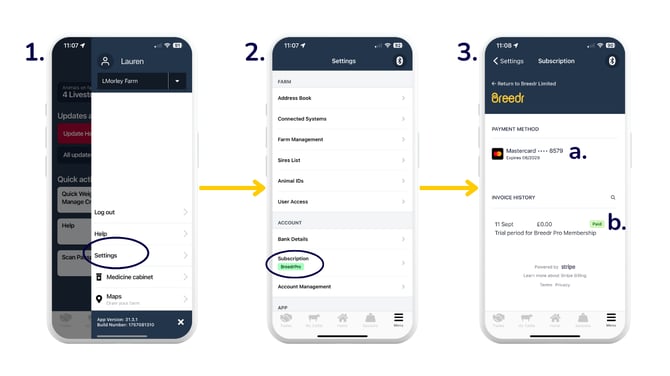
- Check and/or update your card details.
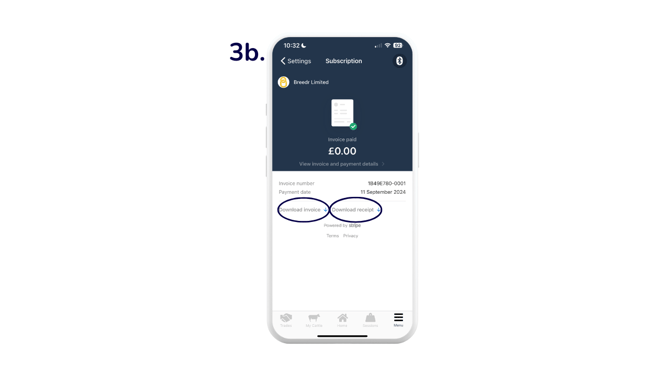
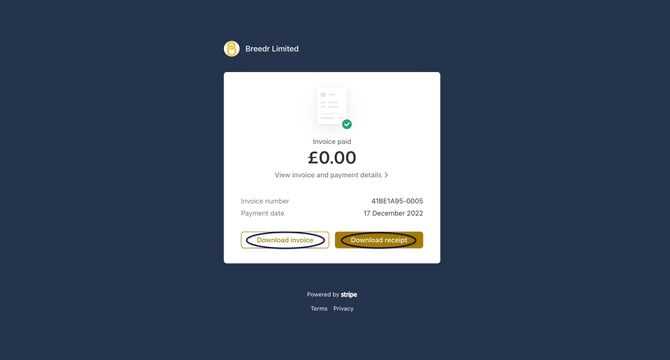
- Click through to download your invoice and/or receipt for your subscription.
Update your card details in the web app in Breedr:
- Head to 'Settings' > 'Subscription' > 'Manage'.
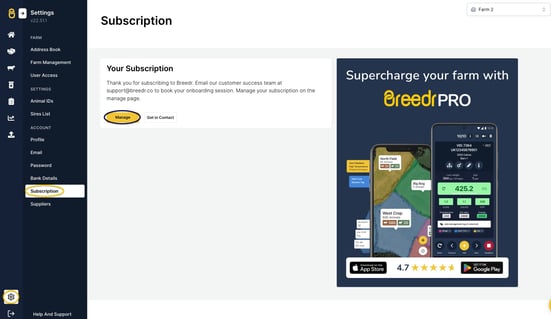
- On the subscription page, you then have a couple of options relating to payment and invoices.
- Check and/or update your card details.
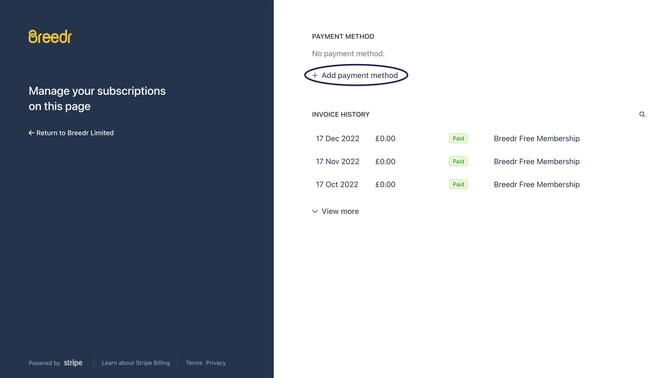
- Click on any of the invoices to download your invoice and/or receipt for your subscription.
- Check and/or update your card details.
Need some help? Use the chat window to your right on the web or the help button on your mobile app, call our Customer Support team on +44 (0) 3300 436327 or email support@breedr.co.