
Note: You can only add a default prefix in the mobile app settings.
Add your herd number:
- Go to 'Menu' > 'Settings'.
- 'Animal IDs'.
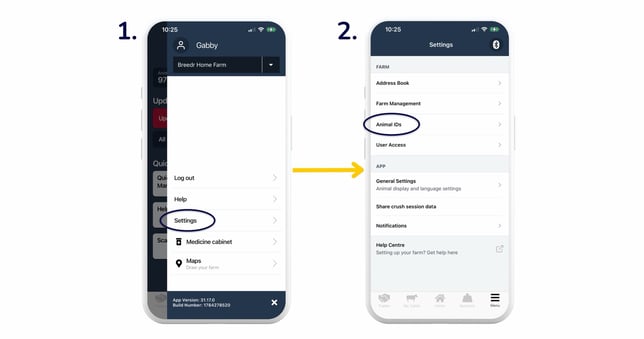
- Type in your default prefix for passport numbers in the 'Herd Number' field, then click 'Save changes'.
- When you go to log a birth in Breedr, you should now see your herd number auto-populate in the 'Passport ID' field.
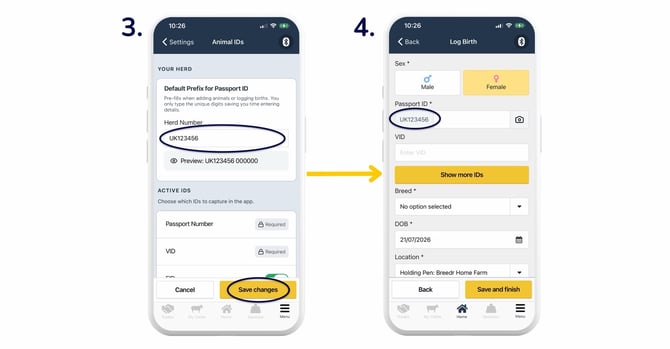
Top Tip: Make sure that you include 'UK' in the default prefix so that this also prefills in the 'Passport ID' field. You can check how the passport numbers will look by checking the 'Preview' for the default prefix in the settings before saving.
Relevant articles:
How do I edit incorrect animal details, such as EID or passport number?
Add another holding to your Breedr account
Need some help? Use the chat window to your right on the web or the help button on your mobile app, call our Customer Support team on +44 (0) 3300 436327 or email support@breedr.co.