
If you move animals off-farm via BCMS/ScotEID, these animals will flag up under 'Update Herdbook'. They will need to be marked off-farm in your Breedr account on either your mobile or web app.
Update your Herdbook on the mobile app:
- Click the red 'Update Herdbook' banner.
- A list of animals that are no longer synced to BCMS/ScotEID displays. Tap '+ Manage'.
- 'Manage'.
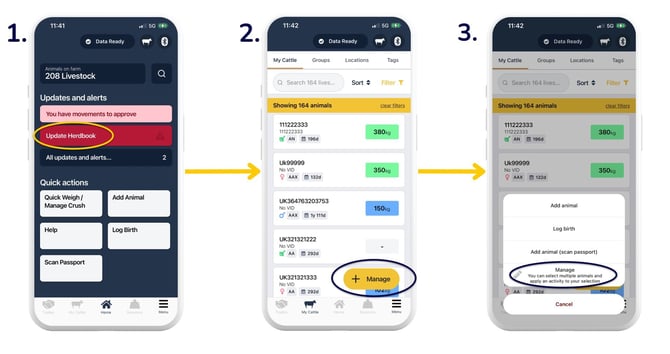
- 'Select all' if you want to bulk select the list, or, to individually select an animal/s, tap the grey boxes to the right of the specific animal/s.
- Green tick boxes show up against an animal/s selected > 'Manage'.
- 'Mark off-farm'.
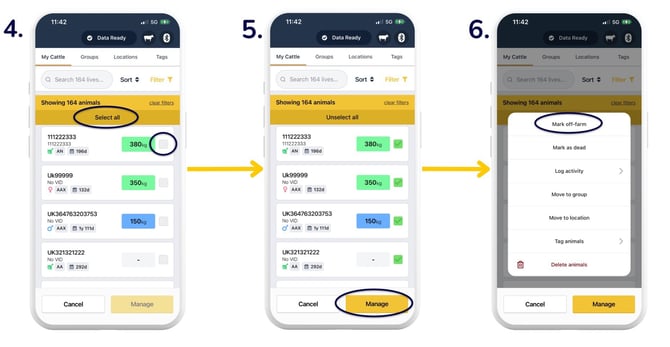
- A list of the animals you've selected displays. Check this list. Use the arrow in the upper left to go back and redo the animal selection if required.
- At the bottom of the list, fill out the details of where the animals moved to, ensuring you select the correct date > 'Confirm move'.
- This screen will show when you've successfully moved animals off-farm.
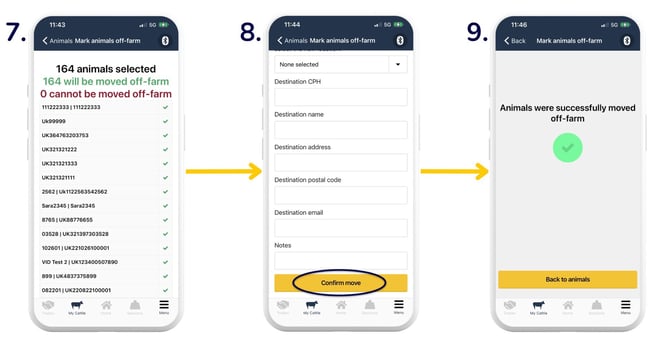
Your red banner will no longer show on the homepage of the app, indicating your account is all up to date.
Update your Herdbook on the web app:
- On the homepage, you will see a red 'Your Herdbook needs updating - View animals' banner. Select 'View animals' on the red banner.
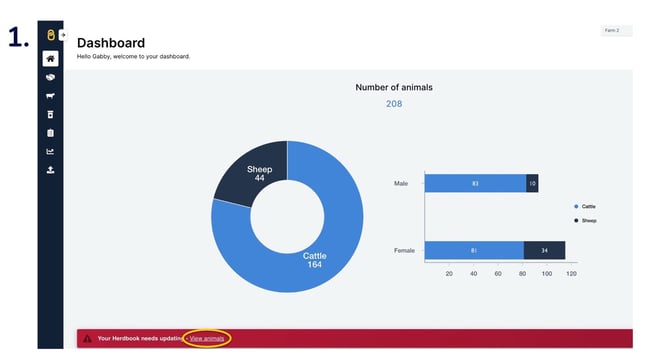
- This opens the 'My Cattle' page with those animals which are no longer synced to BCMS/ScotEID.
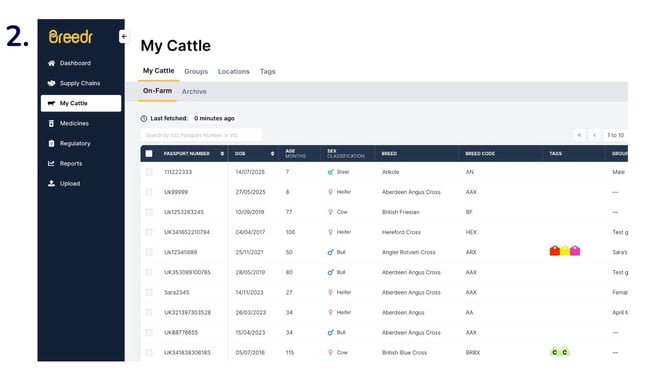
- You can tap the top left tick box in the table if you want to bulk select the list, or, to individually select an animal/s, tap the boxes to the left of the specific animal/s. The green tick indicates animal selection.
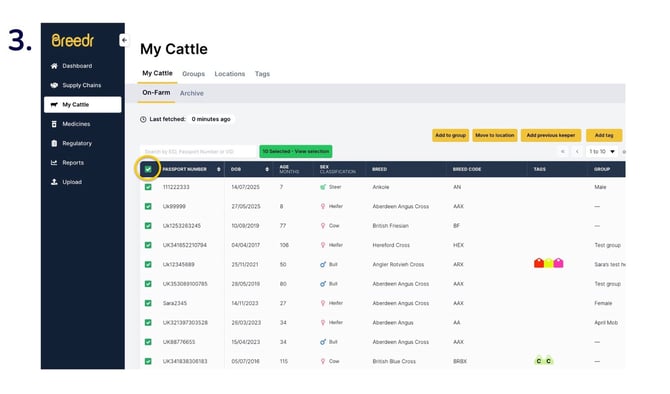
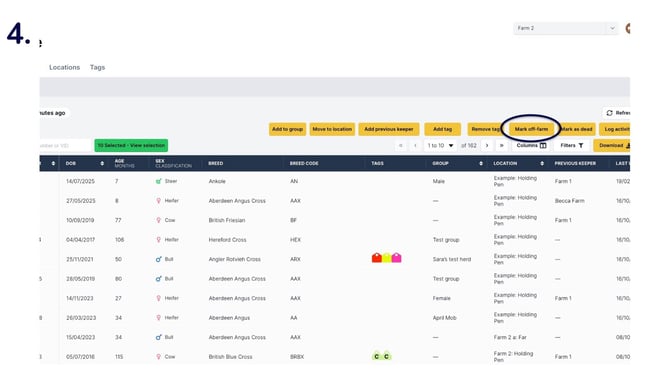
- Tap 'Mark off-farm'.
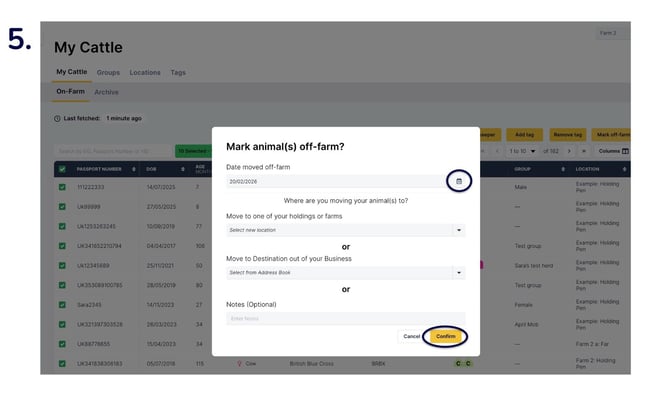
- Use the calendar icon to select the correct date of movement and add the location of the destination > 'Confirm'.
Note: If you have opted in to send movement and registration data to BCMS/ScotEID, you will also need to update your Regulatory Dashboard.
Update your Regulatory Dashboard:
Select the animal/s you have just marked off-farm. Selected animals have a green tickbox to the left of them.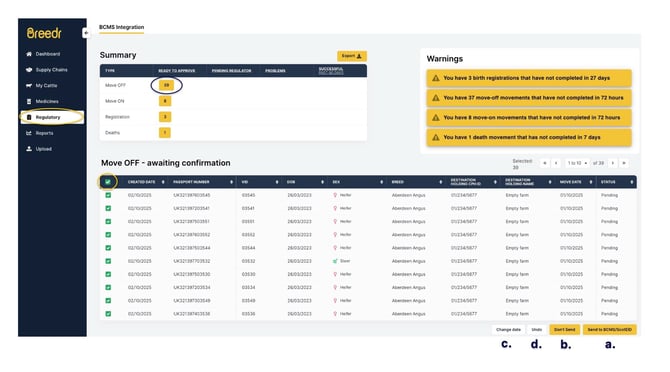
- You can tap the top left box of the table if you want to bulk select the list.
- Individually select the animal/s, by selecting boxes to the left of the table against a specific animal/s.
Then select either:
-
- 'Send to BCMS/ScotEID' to notify BCMS/ScotEID of the movements/registrations.
- 'Don't Send' if you have already reported directly to BCMS/ScotEID outside of Breedr.
- 'Change date' (if you notice the movement date is incorrect) and then proceed to 'Send to BCMS/ScotEID'.
- 'Undo' if you'd like to revert the movement/registration.
Relevant articles:
Scan passports and add animals via the mobile app
Set up BCMS/ScotEID connection
Need some help? Use the chat window to your right on the web or the help button on your mobile app, call our Customer Support team on +44 (0) 3300 436327 or email support@breedr.co.