
How do I keep Breedr automatically up to date on my Android device?
- Open the Google Play Store app.
- Search for Breedr in the 'Search' tab.
- Click into Breedr in the Play Store app.
- Tap the 3 dots in the upper-right of the screen > tick 'Enable auto-update'.
How do I manually update my Breedr app on my Android device?
- Open the Google Play Store app.
- Search for Breedr in the 'Search' tab.
- If an update is available, it will show an 'Update' button, which you can then click to update the app. Once updated, you will be able to open the app and run the new version of Breedr.
How do I keep all apps automatically up to date on my Android device?
- Open the Google Play Store app.
- Select your profile icon in the upper-right of the screen.
- Select 'Settings'.
- Select 'Network preferences' > 'Auto-update apps'.
- Choose your update preference out of the options provided. You can choose to 'Update over Wi-Fi only', or allow mobile data use for updating.
How do I keep all apps automatically up to date on my Apple iOS device?
- Open the Settings app on your phone.
- Select 'Apps' > 'App Store'.
- Ensure toggle is on (set to green) against 'App Updates'.
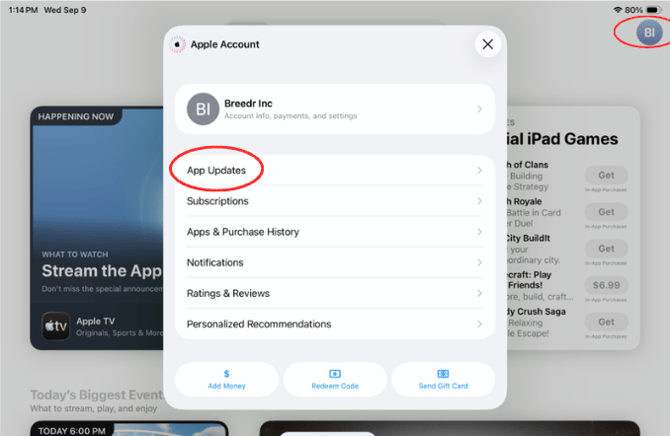
How do I manually update Breedr on my Apple iOS device?
- Open the App Store app.
- Search for Breedr in the 'Search' tab.
- If an update is available, it will show an 'Update' button, which you can then click to update the app. Once updated, you will be able to open the app and run the new version of Breedr.
Top Tip: If you think your mobile app isn't updating with the correct animal numbers or information, go to the Breedr app and go to 'Menu' > 'Settings' > 'General Settings' and click the 'Refresh and sync animal data' button.
Need some help?
Use the chat window, call our Customer Success team at (737) 412-3131 or email us supportusa@breedr.co