
Looking at one of your reports and not seeing your up-to-date data?
There are two main places you should navigate to in each report to make sure you are drilling down into the correct range of data.
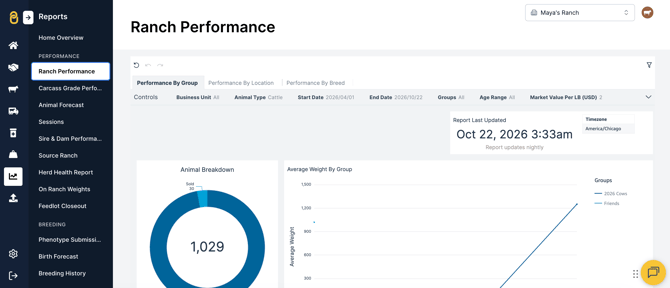
- The 'Report Last Updated' box will show the time and date stamp of the last update of each report. Different reports are updated at different times, but most reports run nightly around midnight. For example:
- The 'Ranch Performance' and 'Sire and Dam Performance' reports update nightly around midnight.
- The 'Inventory & Movements' report runs hourly.
- The 'Sessions' report runs every half hour.
- The default filters may not display the data you need to find. Use the dropdown to expand the filter selection to check the range of data being pulled in the report.
Top Tip: If you think your data isn't quite matching up after checking the filters and the report is showing as updated, check that your mobile app is updating with the correct information by going to 'Menu' > 'Settings' > 'General Settings' and clicking the 'Refresh and sync animal data' button.
Still having issues?
If you're still not seeing the correct information in your reports, please use the chat window, call our Customer Success team at (737) 412-3131 or email support supportusa@breedr.co.