
Note: BCMS/ScotEID-connected animals will pull details from BCMS/ScotEID upon syncing up each night, so they will override any edited details in Breedr if BCMS/ScotEID have not been notified directly. If you notice you've edited an animal but it has reverted, get in touch with BCMS/ScotEID.
Edit animal details in the mobile app:
- Head to the 'My Cattle' tab and select the animal you need to edit.
- Select 'Manage'.
- 'Edit'.
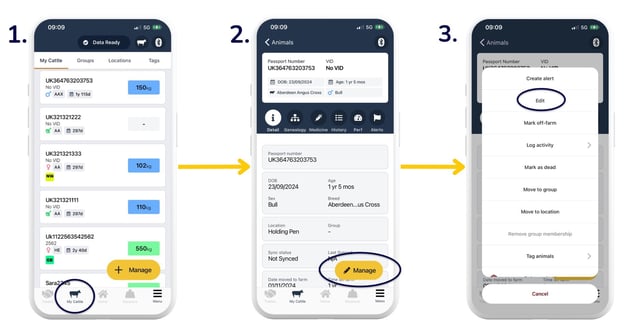
- You can edit the fields below and then 'Save and finish':
- Sex
- Castrated status
- VID
- 'Show more IDs' opens up the EID field that you can also edit/update
- Breed
- Location/Group
- Sire
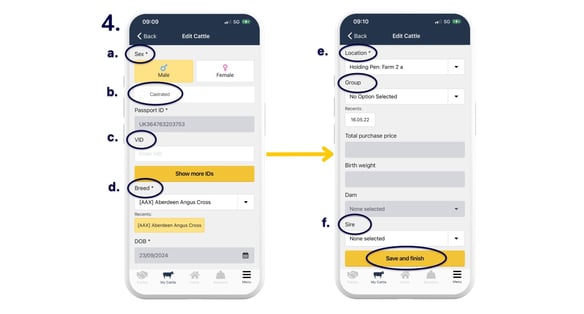
Edit animal details in the web app:
From the 'My Cattle' tab, select an animal and click the yellow 'Manage' button. You can then edit the same fields as above in the mobile app.
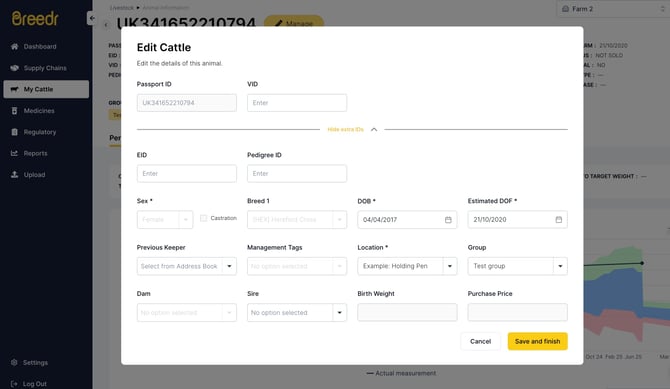
Please contact Customer Support if you need help editing any other animal details.
Top Tip: We generally advise editing an animal over deleting the animal from your app. This helps to avoid complications as the system holds the deleted information for 90 days, preventing you from re-adding the same animal ID again.
Deleting animals in Breedr (please read above):
- Head to the 'My Cattle' tab, and either a) select multiple animals, or b) select the specific animal you need to edit > 'Manage'.
- Scroll down to 'Delete animal/s'.
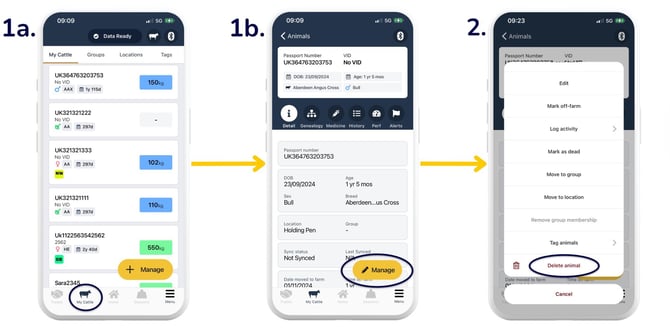
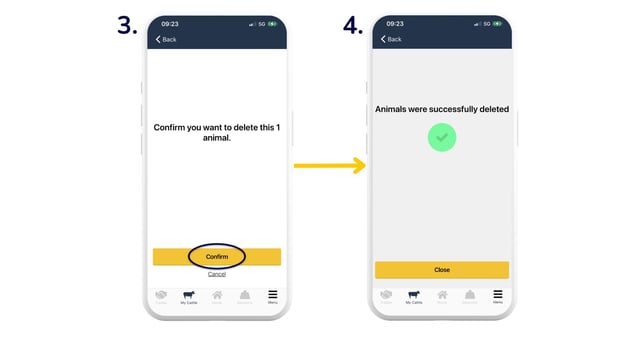
- 'Confirm'.
- You will then see this screen indicating you have successfully deleted the animal/s.
Relevant articles:
Scan passports and add animals via the mobile app
View animal information on your mobile app
Organise animals into groups and locations
Update EIDs and/or VIDs against animals
Need some help? Use the chat window to your right on the web or the help button on your mobile app, call our Customer Support team on +44 (0) 3300 436327 or email support@breedr.co.